How to Humanize AI Scripts for Video Content: 15 Conversational Writing Fixes
Humanize AI video scripts by rewriting for natural speech, varied pacing, direct address, and speaker-specific delivery. A peer-reviewed multimedia learning study supports conversational over formal language in multimedia content.
How to Humanize AI Scripts for Video Content: 15 Conversational Writing Fixes
AI-generated video scripts can look polished on the page yet sound stiff, overexplained, or strangely formal once someone reads them aloud, especially when every sentence follows the same rhythm and carries more detail than a speaker would naturally use. Even a solid draft often needs the same kind of practical judgment used when you rewrite AI scripts for video ads, where pacing, spoken clarity, and audience attention matter as much as the information itself.
The problem usually persists because AI tends to optimize for complete sentences and orderly explanations rather than the interruptions, contractions, emphasis shifts, and imperfect transitions that make spoken language feel believable. That is also why techniques associated with human-sounding business writing can be useful for video, since both formats benefit when rigid phrasing gives way to language that reflects how people genuinely explain, react, and persuade.
Humanizing a script does not mean making every line casual or stripping away structure, but it does require deliberate editing around voice, sentence length, pacing, transitions, specificity, and the way ideas land when heard rather than silently read. The 15 fixes below focus on those practical adjustments while also drawing on lessons from formats such as AI email campaign editing, where small changes in wording and audience awareness can noticeably improve how a message is received.
| # | Strategy focus | Practical takeaway |
|---|---|---|
| 1 | Write for the ear | Shape sentences around how they sound when spoken instead of how polished they appear on a page. |
| 2 | Use natural contractions | Replace unnecessarily formal constructions with the shortened phrasing people regularly use in conversation. |
| 3 | Vary sentence length | Mix brief statements with longer thoughts so the delivery develops a more believable conversational rhythm. |
| 4 | Trim overexplaining | Remove details that repeat the same idea and let the speaker reach the point without unnecessary setup. |
| 5 | Break predictable transitions | Replace overly tidy connectors with transitions that reflect how people naturally move between thoughts. |
| 6 | Add conversational phrasing | Introduce familiar expressions and spoken constructions where they fit the speaker, audience, and context. |
| 7 | Make wording specific | Trade vague claims and generic descriptions for details that give the speaker something concrete to communicate. |
| 8 | Control the pacing | Adjust sentence structure and information density so important moments have room to register with viewers. |
| 9 | Use direct address | Speak to the viewer in a deliberate way when doing so makes the message feel more immediate and relevant. |
| 10 | Read every line aloud | Catch awkward wording, unnatural pauses, and difficult sentence structures before they reach the recording stage. |
| 11 | Reduce polished filler | Cut generic qualifiers and decorative language that make a speaker sound prepared rather than genuinely engaged. |
| 12 | Build in emphasis | Structure key lines so the speaker can naturally stress the words and ideas that deserve the most attention. |
| 13 | Match the speaker | Choose vocabulary, humor, formality, and sentence patterns that fit the person expected to deliver the script. |
| 14 | Allow slight imperfection | Keep controlled fragments, pauses, or informal turns of phrase when they make the delivery feel more authentic. |
| 15 | Edit for performance | Make the final pass from the perspective of the person speaking, not simply the person reading the draft. |
15 Conversational Writing Fixes to Humanize AI Scripts for Video Content
How to Humanize AI Scripts for Video Content – Strategy #1: Write for the Ear
Start by treating every sentence as something a person must comfortably say rather than something a reader will quietly scan, because language that appears polished on a screen can become awkward once it has to pass through a speaker’s mouth at a natural pace. This approach matters most when the draft contains long clauses, formal sentence structures, or carefully balanced phrasing that sounds more like written commentary than spontaneous speech. Good execution means simplifying the construction without flattening the idea, preserving the meaning while arranging words in an order that feels intuitive when spoken aloud.
This works because viewers experience a video script through timing, breath, emphasis, and vocal rhythm, so the words need to cooperate with those physical elements rather than forcing the speaker to fight against them. For example, a sentence such as “This solution provides users with the ability to efficiently manage multiple workflows simultaneously” may sound smoother as “This helps you manage several workflows at once without constantly switching between tools.” The goal is not to make every line informal, however, because professional speakers still need precision, and the best revision balances conversational ease with the level of authority the subject requires.
How to Humanize AI Scripts for Video Content – Strategy #2: Use Natural Contractions
Replace unnecessarily formal combinations such as “you are,” “we will,” “it is,” and “they have” with contractions when the speaker would realistically use them, because small grammatical choices have a noticeable effect on whether dialogue sounds written or spoken. This is especially useful in explainers, creator videos, product demonstrations, interviews, and educational content where a rigid tone can create unnecessary distance between the speaker and the audience. Good execution involves using contractions selectively and consistently, allowing them to soften the delivery while retaining full forms when emphasis, seriousness, or deliberate contrast makes the longer version more appropriate.
Contractions work because people routinely compress familiar phrases during ordinary speech, and scripts that avoid this tendency can sound unusually careful even when the vocabulary itself is simple. For instance, “You are going to notice that it is much easier once you have completed the first step” will usually sound more natural as “You’re going to notice that it’s much easier once you’ve finished the first step.” The important caveat is that contractions should match the speaker’s established voice, because forcing an extremely casual pattern into a formal corporate presentation, technical briefing, or ceremonial message can feel just as artificial as avoiding contractions altogether.
How to Humanize AI Scripts for Video Content – Strategy #3: Vary Sentence Length
Change the rhythm of the script by mixing longer explanatory sentences with shorter statements that give the speaker room to emphasize, pause, or reset before moving into the next idea, because uniform sentence length often makes AI-generated writing sound mechanically paced. This adjustment becomes particularly useful when several consecutive lines follow the same grammatical structure or contain roughly the same number of words, creating a predictable cadence that viewers may notice even if they cannot identify why the delivery feels unnatural. Strong execution creates contrast without becoming choppy, using sentence length to support the emotional and informational shape of the message.
Variation works because natural speakers do not distribute every idea into identical verbal units, and they often linger on complicated points before delivering a simpler conclusion or reaction in fewer words. For example, after explaining several steps in a product workflow through a detailed sentence, the script might follow with a compact observation such as “That is where the time savings become obvious,” giving the speaker a clear landing point before continuing. Avoid turning every paragraph into an artificial long-short-long pattern, however, because deliberate variation should feel responsive to meaning rather than functioning as another formula imposed on the script.
How to Humanize AI Scripts for Video Content – Strategy #4: Trim Overexplaining
Remove sentences, clauses, and qualifiers that restate information the audience has already understood, because AI-generated scripts often explain a point thoroughly enough in the first sentence and then continue clarifying it long after the message has landed. This is especially important in short-form videos, advertisements, tutorials, and social content where attention is limited and excessive explanation makes the speaker appear hesitant or overly rehearsed. Good editing keeps the strongest version of the idea, removes redundant framing, and trusts viewers to connect straightforward points without being guided through every possible interpretation.
This works because spoken communication usually feels more confident when the speaker knows when to stop, whereas repeated explanation can weaken an otherwise strong claim by suggesting that the original wording was not clear enough on its own. For example, if a script says that a feature saves time, then immediately explains that saving time means finishing work faster and therefore having more time available, most of that follow-up can disappear without harming comprehension. The exception is genuinely complex material, where repetition may support learning, although even then the second explanation should add a fresh example or perspective rather than simply paraphrasing the first sentence.
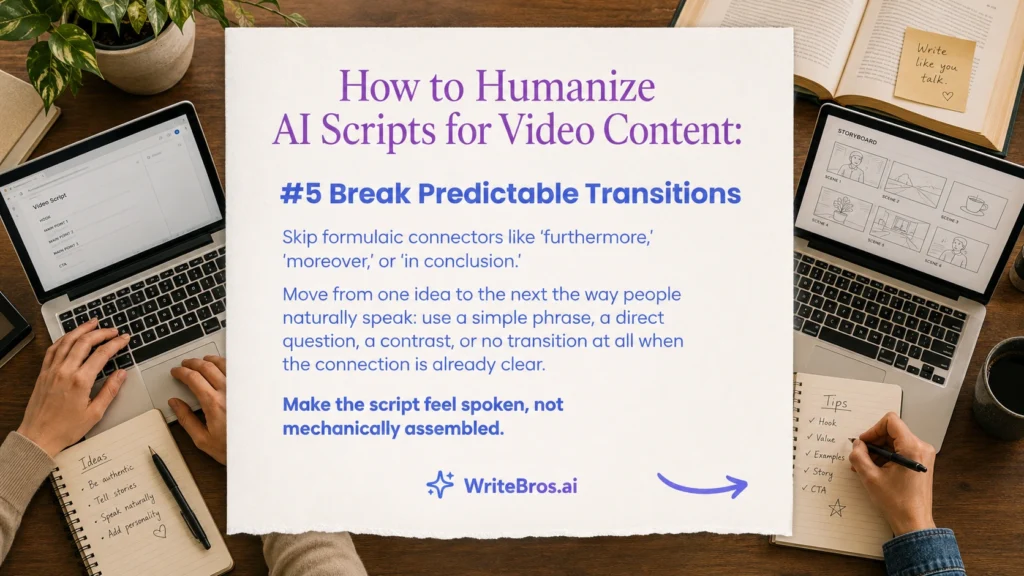
How to Humanize AI Scripts for Video Content – Strategy #5: Break Predictable Transitions
Review transitions such as “additionally,” “furthermore,” “moreover,” “in conclusion,” and repeated phrases like “another important factor” when they appear throughout the script, because these connectors can make separate ideas feel mechanically assembled rather than naturally connected. This strategy is especially useful when an AI draft moves through a list of points with identical transition patterns, creating the impression that each paragraph was generated from the same template. Good execution replaces formal signposting with context-driven movement, sometimes using a simple phrase, a direct question, a contrast, or no explicit transition at all when the relationship between ideas is already obvious.
This works because real speakers often shift topics by following the logic of the conversation rather than announcing every structural change, which allows the audience to feel that the message is unfolding rather than being processed through a checklist. For example, instead of saying “Additionally, another benefit is improved collaboration,” the speaker might say, “And once the team can see those updates in one place, collaboration becomes much easier,” which connects the new idea directly to the previous point. The key restraint is clarity, because removing every transition can make a complex explanation confusing, so the objective is to replace predictable connectors with ones that genuinely reflect the relationship between thoughts.
How to Humanize AI Scripts for Video Content – Strategy #6: Add Conversational Phrasing
Introduce expressions, sentence openings, and verbal patterns that people genuinely use when explaining something to another person, because scripts built entirely from polished declarative sentences can sound distant even when the information is accurate. This approach is most useful for creator-led videos, educational explainers, demonstrations, podcasts, and brand content where the speaker is expected to feel accessible rather than purely formal. Good execution means choosing phrases that fit the speaker’s personality and audience, using natural language such as “here is the part that matters,” “you may have noticed,” or “what this means in practice” only where those constructions support the flow.
Conversational phrasing works because it gives the audience small signals that the message is being communicated to them rather than simply recited in their direction, which can make a prepared script feel more responsive and human. For example, a formal line such as “The next consideration involves selecting the appropriate format” could become “The next thing to think about is which format makes the most sense here,” preserving the substance while softening the delivery. Avoid stacking too many casual markers into every sentence, however, because repeated phrases like “you know,” “basically,” or “here’s the thing” can quickly become another detectable pattern rather than a believable speaking habit.
How to Humanize AI Scripts for Video Content – Strategy #7: Make Wording Specific
Replace broad claims, generic adjectives, and abstract descriptions with concrete details that tell the speaker exactly what changed, why it matters, or what the audience should picture, because vague language often gives AI-generated scripts a polished but interchangeable quality. This is particularly valuable when the draft relies heavily on words such as “powerful,” “innovative,” “effective,” “seamless,” or “valuable” without explaining what those judgments mean in the situation being discussed. Good execution adds useful specificity through observable outcomes, realistic circumstances, named actions, or clearly defined comparisons, allowing the script to sound informed rather than generically persuasive.
Specificity works because real expertise tends to reveal itself through detail, and speakers sound more credible when they describe what happens instead of repeatedly telling viewers how impressive something is supposed to be. For example, “This powerful feature improves productivity” gives the performer very little to work with, while “This lets you approve all five drafts from the same dashboard instead of opening each file separately” creates a concrete image and a natural reason for emphasis. Do not overload the script with numbers, technical terms, or unnecessary examples merely to appear specific, because the details should sharpen the message rather than slow the speaker down or distract viewers from the central point.
How to Humanize AI Scripts for Video Content – Strategy #8: Control the Pacing
Adjust how quickly information arrives by changing sentence density, placing pauses around important ideas, and spreading complicated explanations across manageable verbal units, because even well-written language can sound artificial when every second of the script carries the same amount of information. This strategy matters most when the video contains technical explanations, emotional turns, demonstrations, or key claims that need a moment to register before the speaker moves on. Good pacing gives straightforward material enough momentum to remain engaging while deliberately slowing down around concepts that deserve emphasis, clarification, or visual support.
This works because viewers need time not only to hear words but also to process images, gestures, captions, demonstrations, and changes in tone, so a script that never adjusts its speed can overwhelm the audience even when each sentence is understandable. For example, after introducing a surprising statistic, the script might allow a brief explanatory sentence to stand alone before adding context, rather than immediately layering three more figures into the same breath. The challenge is avoiding exaggerated pauses or overly sparse writing, because pacing should support the content naturally and should still feel appropriate for the platform, video length, speaker style, and expected attention span.
How to Humanize AI Scripts for Video Content – Strategy #9: Use Direct Address
Speak directly to the viewer when the message genuinely concerns their decision, problem, question, or experience, because carefully placed second-person language can make a script feel more immediate than one written entirely from a detached third-person perspective. This technique works especially well in tutorials, product walkthroughs, educational videos, marketing content, and advice-based formats where the audience is expected to apply the information themselves. Good execution uses “you” when it clarifies relevance or creates a meaningful connection, rather than inserting it mechanically into every sentence simply to make the script appear conversational.
Direct address works because it helps transform an abstract explanation into a situation the viewer can mentally enter, which gives the speaker a clearer conversational target and often makes examples easier to understand. For instance, instead of saying “Users may encounter difficulty when multiple tabs are open,” the script could say, “If you keep several tabs open while you work, you have probably seen how quickly the screen becomes difficult to manage,” making the scenario more recognizable. The technique should be moderated in sensitive, technical, or heavily regulated topics, however, because excessive second-person language can sound presumptive when the speaker cannot reasonably know what the viewer has experienced or believes.
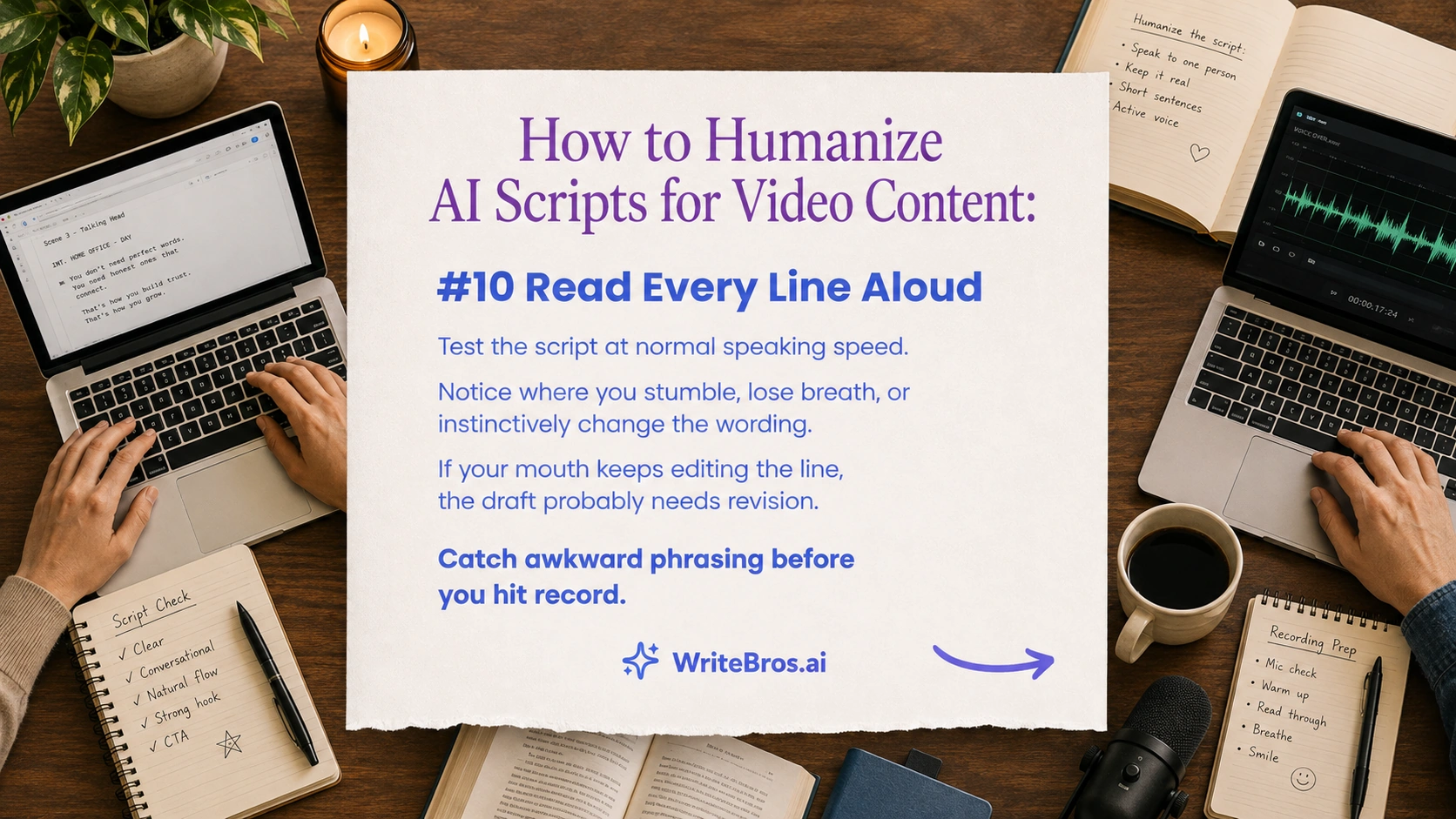
How to Humanize AI Scripts for Video Content – Strategy #10: Read Every Line Aloud
Read the entire script aloud at normal speaking speed before treating the wording as finished, because the voice exposes awkward constructions, repeated sounds, breathless sentences, and unnatural transitions that can remain invisible during silent editing. This step is useful for every format, although it becomes especially important when a script will be delivered on camera, recorded as voice-over, or performed by someone who did not write the original draft. Good execution means reading without intentionally correcting the lines as you go, noticing exactly where you stumble, run out of breath, lose emphasis, or instinctively substitute a different phrase.
Reading aloud works because your mouth often identifies problems faster than your eyes, particularly when a sentence contains too many clauses or uses word combinations that are technically correct but physically awkward to pronounce. For example, if you repeatedly change “utilize a variety of available alternatives” into “use a few different options” while reading, that instinctive substitution is useful evidence that the simpler phrasing belongs in the final script. The test should resemble the intended performance rather than an exaggerated dramatic reading, because pacing, tone, and pronunciation problems are easiest to detect when the rehearsal closely matches how the speaker will deliver the finished video.
How to Humanize AI Scripts for Video Content – Strategy #11: Reduce Polished Filler
Cut phrases that make sentences sound more impressive without contributing meaningful information, because AI-generated scripts frequently rely on polished filler that creates length and smoothness while weakening the speaker’s sense of purpose. This becomes especially noticeable in introductions, conclusions, transitions, and promotional sections where phrases such as “it is important to note,” “in today’s rapidly evolving landscape,” or “plays a crucial role” can appear without adding anything the audience needs. Good execution identifies the actual point underneath the decorative wording and lets that idea carry the sentence with fewer layers between the speaker and the listener.
This works because conversational authority usually comes from knowing what deserves to be said, not from surrounding every observation with formal framing, and removing filler often makes the speaker sound more confident rather than less sophisticated. For example, “It is important to note that consistent practice plays a crucial role in improving performance” can often become “Consistent practice improves performance,” after which the script can spend its time explaining how or why. Some framing language can still be useful when it signals nuance, caution, or a genuine shift in importance, so the goal is not maximum brevity but the removal of phrases that merely decorate a point the audience already understands.
How to Humanize AI Scripts for Video Content – Strategy #12: Build in Emphasis
Arrange sentences so the most important words and ideas naturally fall where a speaker can stress them, because emphasis becomes difficult when key information is buried inside long clauses or surrounded by equally weighted details. This strategy is especially helpful in persuasive videos, tutorials, presentations, and storytelling where a specific conclusion, contrast, warning, or benefit needs to stand out without relying entirely on visual graphics. Good execution often involves moving the strongest phrase toward the end of a sentence, separating an important idea from surrounding explanation, or creating enough verbal space for the performer to change pace and tone.
This works because spoken meaning depends partly on where the voice rises, slows, pauses, or applies pressure, and a script that supports those choices gives the performer more control over how the audience interprets the message. For example, instead of packing a key warning into the middle of a long sentence, the script could explain the context first and then conclude with “The important part is that you should not publish the file before checking those permissions.” Emphasis should remain selective, however, because if every sentence is engineered to sound dramatic or every point receives the same heightened treatment, the audience loses the contrast that makes genuinely important moments noticeable.
How to Humanize AI Scripts for Video Content – Strategy #13: Match the Speaker
Revise vocabulary, humor, sentence rhythm, formality, and references so they reflect the person who will perform the script, because a technically conversational draft can still feel artificial when it does not sound like the actual speaker. This strategy matters whenever the script is written for a founder, creator, executive, instructor, salesperson, presenter, or subject-matter expert whose established communication style is already familiar to the audience. Good execution begins by reviewing how that person naturally explains ideas, including the expressions they favor, the words they avoid, how directly they speak, and how much personality they normally show on camera.
Matching the speaker works because viewers often recognize inconsistencies in voice even when they cannot explain the exact linguistic difference, particularly when someone suddenly uses phrases or levels of enthusiasm that do not resemble their usual delivery. For example, a reserved technical expert may sound uncomfortable saying “This incredible breakthrough is going to completely change everything,” while a simpler line such as “This changes the part of the workflow that used to take the most time” may feel much more credible. Avoid copying verbal quirks so aggressively that the script becomes a caricature, because the purpose is to support the performer’s natural voice rather than reproduce every hesitation, repeated phrase, or informal habit.
How to Humanize AI Scripts for Video Content – Strategy #14: Allow Slight Imperfection
Keep occasional fragments, informal turns, incomplete transitions, or slightly uneven sentence patterns when they reflect believable speech, because polishing every line into perfectly balanced grammar can remove the small irregularities that make spoken communication feel natural. This is especially useful in creator-led content, interviews, commentary, testimonials, demonstrations, and casual educational videos where an overly pristine script may create distance from the speaker’s usual personality. Good execution involves controlled imperfection, preserving moments that help the voice breathe while still removing confusion, distracting mistakes, or awkward constructions that interfere with comprehension.
This works because people often speak in units of thought rather than textbook sentences, shifting direction, pausing, or completing an idea with a fragment once the context makes the meaning obvious. For example, a line such as “And that is the frustrating part, because you have already done the work” can feel more believable on camera than rewriting it into a formally self-contained sentence simply because the conjunction appears at the beginning. Imperfection should never become an excuse for careless writing, however, because excessive fragments, filler words, grammatical errors, or unfinished thoughts can make the speaker difficult to follow rather than pleasantly conversational.
How to Humanize AI Scripts for Video Content – Strategy #15: Edit for Performance
Make the final editing pass from the perspective of the person who must perform the script, considering breathing, eye contact, gestures, visual cues, pronunciation, emphasis, and the amount of information that can comfortably be delivered before the speaker needs to reset. This strategy is most useful once the wording is already clear, because the final question is no longer whether the sentence reads well but whether it gives the performer something they can deliver naturally on camera. Good execution means adapting lines around realistic performance conditions, including teleprompter use, cuts, demonstrations, scene changes, and moments when the speaker needs to interact with something visible on screen.
Performance-focused editing works because a script is ultimately an instruction for a spoken event, and language that ignores the physical realities of delivery often creates stiffness even when the writing itself is grammatically flawless. For example, a presenter demonstrating software may need a shorter line while clicking through a menu, followed by a fuller explanation once the screen stops changing, rather than a dense paragraph that competes with the visual action. The final pass should not overengineer every gesture or pause, however, because skilled performers need room to interpret the material, and the script should provide a strong verbal foundation without dictating every second of their delivery.
Common mistakes
- Replacing every formal word with casual slang can make a script sound less natural rather than more believable, because conversational writing depends on matching the speaker and context, and forcing informal vocabulary into a technical, executive, educational, or serious video often creates an obvious mismatch between the message and the person delivering it.
- Shortening every sentence in an attempt to improve pacing often produces a choppy rhythm that feels just as artificial as long AI-generated prose, because real conversation includes both compact statements and extended explanations, and removing that variation leaves the speaker sounding as though every idea has been reduced to a separate caption.
- Adding filler words such as “basically,” “honestly,” “you know,” or “kind of” throughout the draft can quickly become another repetitive pattern, because these expressions feel natural only when they serve a genuine conversational purpose, while deliberate overuse makes the speaker sound as though they are imitating spontaneity rather than communicating naturally.
- Editing only on the page and skipping an aloud read allows awkward pronunciation, breathless clauses, accidental repetition, and unnatural emphasis to survive into production, because visual familiarity with the text can hide problems that become immediately obvious once the script has to be spoken continuously at a realistic recording pace.
- Making every transition explicit can leave the script sounding heavily organized even after the vocabulary has been softened, because phrases that continually announce the next point, benefit, consideration, or conclusion interrupt the natural movement between ideas and remind the audience that they are listening to a structured document rather than a person explaining something.
- Trying to remove every trace of preparation can weaken the script by making it unnecessarily messy, because humanizing does not mean reproducing all the hesitations, tangents, grammatical slips, and abandoned thoughts found in unscripted speech, and too much simulated imperfection can reduce clarity while making the performance harder to follow.
- Ignoring the actual speaker while editing creates scripts that may sound conversational in a general sense but still feel wrong in performance, because vocabulary, humor, enthusiasm, sentence rhythm, and formality vary significantly between people, and viewers who know the speaker can notice when those choices do not match their established voice.
Edge cases
Some video formats benefit from a more controlled tone, particularly compliance training, investor communications, technical demonstrations, legal explanations, medical education, and other settings where precision matters more than casual familiarity. In these cases, humanizing should focus on sentence flow, pronunciation, pacing, clarity, and speaker fit rather than introducing slang, fragments, or conversational asides that could weaken authority or create ambiguity.
Highly stylized formats can create the opposite challenge, because advertisements, sketches, character videos, and scripted entertainment may intentionally use exaggerated language that no one would mistake for ordinary conversation. The useful test is therefore not whether every line resembles spontaneous speech, but whether the language feels believable for the performer, audience, format, and purpose of that particular video.
Supporting tools
- A teleprompter app can help you test whether lines remain comfortable when delivered at a realistic pace, because scrolling text exposes sentences that are too long, visually dense, or difficult to phrase naturally while the speaker is also maintaining eye contact with the camera.
- A voice recorder provides a simple way to evaluate rhythm without the distraction of video production, allowing you to hear repeated sentence patterns, awkward pauses, excessive formality, and places where your voice instinctively changes the wording because the written version does not feel comfortable to say.
- Transcription software can be useful after recording a rough unscripted explanation of the same topic, because comparing that transcript with the AI-generated draft often reveals vocabulary, sentence structures, transitions, and expressions that are genuinely characteristic of the speaker and can be incorporated into the edited script.
- Readability tools can highlight unusually long sentences, difficult constructions, and dense passages that may become harder to understand when spoken, although the score should be treated as a diagnostic signal rather than a target because conversational quality depends on rhythm and context as much as sentence complexity.
- Basic audio editing software can reveal pacing problems once a practice read has been recorded, since long stretches without natural pauses, repeated retakes, and sections that require aggressive cutting often indicate that the underlying script needs revision rather than simply a better performance from the speaker.
- A shared document with comments and version history can make collaborative script editing easier when writers, presenters, producers, and subject experts need to review the same material, because it allows performance notes and wording changes to remain connected to specific lines without creating several competing copies of the script.
- WriteBros.ai can support the rewriting stage when an AI draft feels overly polished or generic, particularly when you want to reshape sentence patterns, vocabulary, and tone before performing the more detailed aloud-reading and speaker-specific edits that a strong video script still requires.
Ready to Transform Your AI Content?
Try WriteBros.ai and make your AI-generated content truly human.
Conclusion
Humanizing an AI-generated video script is less about disguising where the first draft came from and more about shaping language around the way people listen, speak, pause, and respond on camera. Strong editing removes unnecessary formality, improves rhythm, adds useful specificity, and gives the performer enough flexibility to deliver the message without sounding as though every sentence was polished independently from the surrounding conversation.
The goal is not to manufacture perfect spontaneity, because believable video communication still benefits from structure, preparation, and deliberate wording when those choices support the speaker rather than constrain them. Focus instead on intention, asking whether each line sounds appropriate for the person, audience, format, and moment, and allow natural variation to do more work than rigid rules or cosmetic rewriting ever could.
An AI-generated video script can be grammatically clean and logically organized while still sounding noticeably written once someone performs it aloud, because spoken communication depends on rhythm, direct address, sentence variation, emphasis, breathing room, and language that fits the person behind the camera. The most useful humanizing edits therefore happen at the performance level, where wording is reshaped around how a speaker naturally explains an idea rather than how polished a paragraph looks on the page.
Research on the personalization effect in multimedia learning found that informal, personalized language using first- and second-person phrasing can improve learning outcomes compared with more formal presentation styles, supporting the broader value of conversational language in multimedia communication. For AI video scripts, the practical lesson is to treat the generated draft as a starting point, then refine contractions, pacing, transitions, specificity, direct address, sentence length, emphasis, and speaker-specific phrasing until the words feel comfortable to say as well as clear to hear.
Ready to Transform Your AI Content?