How to Edit Writing Flagged as AI by GPTZero: 15 Targeted Adjustments

If you need to know how to edit writing flagged as AI by GPTZero, this guide explains the structural and stylistic signals that trigger detection, grounded in findings from a peer-reviewed study published in Science showing current AI detection tools can misclassify human work, and offers targeted, practical revision techniques.
How to Edit Writing Flagged as AI by GPTZero: 15 Targeted Adjustments
Seeing your work labeled as AI-generated can feel frustrating, especially when you wrote it yourself. If you’re scrambling after reviewing AI detectors students use after a Turnitin flag, you’re probably wondering what actually triggered the warning.
Most flags happen because your writing is too uniform, too predictable, or too polished in a mechanical way. Even comparisons in a Turnitin AI accuracy comparison show that structured phrasing, repetitive transitions, and flattened voice can raise suspicion.
The good news is you don’t need to rewrite everything from scratch or rely blindly on most reliable AI humanizer tools for GPTZero false positives. These 15 targeted adjustments will help you revise strategically, restore natural variation, and keep your original ideas intact.
| # | Strategy focus | Practical takeaway |
|---|---|---|
| 1 | Sentence length variation | Break predictable rhythm to reduce mechanical flow. |
| 2 | Natural transitions | Replace formulaic connectors with organic phrasing. |
| 3 | Voice texture | Add subtle personality and lived perspective. |
| 4 | Concrete specificity | Swap vague claims for grounded details. |
| 5 | Imperfect phrasing | Loosen overly polished language. |
| 6 | Structural reshaping | Reorder ideas to feel less templated. |
| 7 | Context layering | Blend analysis with situational framing. |
| 8 | Original phrasing swaps | Replace generic patterns with personal wording. |
| 9 | Nuanced qualifiers | Introduce subtle uncertainty where appropriate. |
| 10 | Sentence openings | Avoid repetitive paragraph starters. |
| 11 | Embedded examples | Weave small illustrations into explanation. |
| 12 | Tone recalibration | Dial back overly neutral delivery. |
| 13 | Paragraph rhythm | Mix short and mid-length paragraphs. |
| 14 | Selective repetition | Reinforce key ideas without sounding scripted. |
| 15 | Final human pass | Read aloud and revise for natural cadence. |
15 Targeted Adjustments to How to Edit Writing Flagged as AI by GPTZero
How to Edit Writing Flagged as AI by GPTZero – Strategy #1: Sentence length variation
One of the fastest ways to reduce detection patterns when applying how to edit writing flagged as AI by GPTZero is to deliberately vary sentence length so your paragraphs no longer move in a steady, mechanical rhythm. If every sentence runs roughly the same length and structure, the prose can start to feel engineered rather than lived-in, which is exactly the pattern automated systems tend to score as predictable. You want some sentences that stretch thoughtfully across clauses and clarifications, followed by others that compress an idea more tightly, creating a cadence that resembles natural thinking rather than formatted output.
This works because human writers rarely maintain consistent pacing across an entire section, especially when they are thinking through a complex idea or reacting to evidence as they explain it. Imagine revising a paragraph that contains five nearly identical 20-word sentences, and intentionally breaking one into two parts while expanding another with a qualifying aside that reflects your reasoning process. The goal is not randomness but believable variation, so always ensure the length changes still support clarity and do not introduce confusion or unnecessary complexity.
How to Edit Writing Flagged as AI by GPTZero – Strategy #2: Natural transitions
When refining how to edit writing flagged as AI by GPTZero, pay close attention to transitions that sound overly formulaic, especially phrases that appear at the start of multiple paragraphs in predictable succession. Automated writing often leans on tidy connectors that signal structure too cleanly, which can create an impression of algorithmic organization rather than authentic thought progression. Instead of relying on repetitive transition cues, rework your sentences so ideas flow from one to the next through context and subtle reference rather than obvious signposting.
This adjustment matters because human reasoning frequently unfolds in layered steps, sometimes circling back or reframing a point before advancing it. If you notice you have used the same introductory transition three times in a short span, rewrite at least one paragraph so it begins with a concrete observation or reflective comment that anchors the reader in the idea itself. Careful variation here makes your argument feel less templated and more conversational, without sacrificing the coherence that academic or professional writing still requires.
How to Edit Writing Flagged as AI by GPTZero – Strategy #3: Voice texture
A key component of how to edit writing flagged as AI by GPTZero is restoring subtle voice texture, which means allowing your perspective, emphasis, and reasoning style to show through in controlled but noticeable ways. Writing that sounds uniformly neutral and detached can appear machine-generated because it lacks the micro-choices that reflect human judgment and interpretation. Introduce mild emphasis, selective qualifiers, and occasional clarifying asides that signal you are actively thinking through the material rather than presenting a flattened summary.
This does not require dramatic personal anecdotes or overt opinion, especially in formal contexts, but it does involve shaping sentences so they reflect a point of view grounded in analysis. Consider adding a brief evaluative phrase that indicates why a statistic matters or how a claim should be understood within its limitations. As long as you maintain relevance and restraint, these touches create a more dimensional voice that reads as authored rather than assembled.
How to Edit Writing Flagged as AI by GPTZero – Strategy #4: Concrete specificity
Another essential step in how to edit writing flagged as AI by GPTZero is replacing vague generalities with concrete, contextualized detail that anchors your claims in observable reality. Broad statements that could apply to nearly any topic often resemble generic outputs, which detection systems may flag due to their universality and lack of distinguishing markers. Revisit each paragraph and identify places where you can specify conditions, examples, or situational factors that narrow the scope of your statements.
For instance, instead of asserting that a method is effective in many cases, clarify the type of setting, audience, or constraint that shapes that effectiveness. Adding this layer of specificity not only strengthens your credibility but also differentiates your writing from templated phrasing that lacks grounding. Just be careful not to overload the text with unnecessary detail, since precision should enhance clarity rather than overwhelm the reader with tangents.
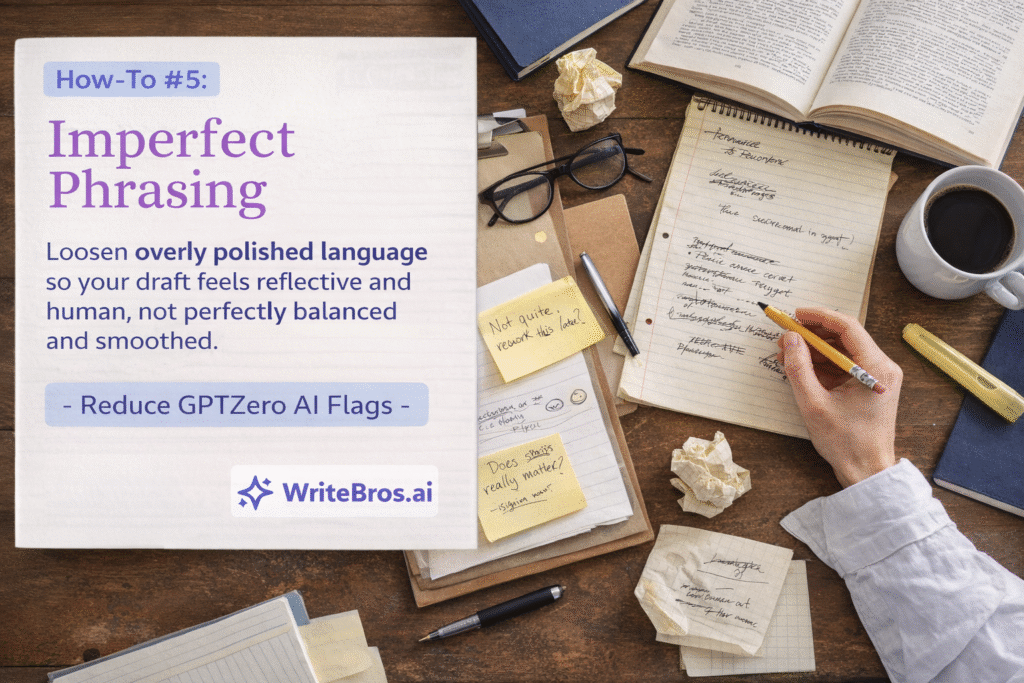
How to Edit Writing Flagged as AI by GPTZero – Strategy #5: Imperfect phrasing
Polished writing is valuable, yet in how to edit writing flagged as AI by GPTZero, excessive smoothness can sometimes contribute to detection patterns. Text that feels impeccably balanced in every clause and perfectly aligned in structure may resemble optimized output rather than the natural variability of human drafting. Introduce slight asymmetry in phrasing, allowing certain sentences to carry a more conversational rhythm or to include mild restructuring that reflects authentic revision rather than automated refinement.
This does not mean adding errors or reducing quality, but rather softening overly symmetrical constructions that repeat with mechanical precision. When revising, look for mirrored sentence patterns or overly parallel phrasing and rework at least one instance so it unfolds more organically. The result should still be professional and coherent, yet subtly less uniform in a way that feels authored through reflection rather than generated in a single pass.
How to Edit Writing Flagged as AI by GPTZero – Strategy #6: Structural reshaping
In practicing how to edit writing flagged as AI by GPTZero, reconsider the structure of your paragraphs rather than focusing solely on sentence-level edits. AI-generated drafts often follow a predictable pattern of topic sentence, explanation, supporting detail, and tidy conclusion, which can appear overly schematic when repeated consistently. Try rearranging the order of ideas so that you open with context or evidence before articulating your main claim, creating a more natural progression of thought.
This restructuring introduces subtle unpredictability that mirrors how people frequently think through an issue before distilling their position. For example, you might begin with a specific scenario that frames the discussion and only then articulate the broader principle it illustrates. As long as the logic remains intact and the reader can still follow your reasoning, this variation reduces the sense of formulaic construction.
How to Edit Writing Flagged as AI by GPTZero – Strategy #7: Context layering
Another practical move in how to edit writing flagged as AI by GPTZero is layering context into your analysis so the text feels situated within a real environment rather than abstract and detached. Automated drafts often present ideas in isolation, without acknowledging conditions, constraints, or surrounding factors that influence outcomes. Strengthen your paragraphs by weaving in brief references to timing, audience expectations, or situational variables that shape your claims.
This layered framing signals that the writer is thinking dynamically, adjusting arguments in response to real-world complexity. Imagine explaining a recommendation while noting how its effectiveness might vary depending on institutional guidelines or available resources. Such contextual nuance makes your writing appear grounded and adaptive, which stands in contrast to rigid, universally framed statements that can trigger suspicion.
How to Edit Writing Flagged as AI by GPTZero – Strategy #8: Original phrasing swaps
When refining how to edit writing flagged as AI by GPTZero, scan your draft for phrases that sound widely circulated or stylistically generic. Expressions that appear frequently in automated outputs can accumulate across a paragraph and create a subtle pattern of familiarity that detection tools identify. Replace these with wording that reflects how you would naturally articulate the idea in conversation or in previous writing you have produced.
This substitution process works best when you read the sentence aloud and notice where it feels rehearsed rather than reflective. Rewrite those sections using vocabulary and sentence constructions you typically rely on, even if they are slightly less polished. Over time, this alignment between your authentic phrasing habits and your revised draft strengthens the sense of ownership in the text.
How to Edit Writing Flagged as AI by GPTZero – Strategy #9: Nuanced qualifiers
Applying how to edit writing flagged as AI by GPTZero effectively requires introducing measured qualifiers that reflect uncertainty where appropriate. Text that presents every claim with absolute confidence can appear algorithmic, especially when complex topics are discussed without acknowledging limitations or alternative interpretations. Integrate subtle qualifiers that indicate scope, probability, or conditional relevance without weakening your overall argument.
This technique mirrors how thoughtful writers naturally calibrate their statements to avoid overgeneralization. For example, rather than asserting that a strategy always produces a certain outcome, clarify that it tends to be effective under specific conditions. These adjustments convey analytical maturity and reduce the impression of simplified, all-encompassing claims.
How to Edit Writing Flagged as AI by GPTZero – Strategy #10: Sentence openings
Another overlooked aspect of how to edit writing flagged as AI by GPTZero is the repetition of sentence openings across paragraphs. If multiple sentences begin with identical grammatical structures or the same introductory words, the text can develop a patterned feel that resembles templated generation. Vary the way sentences start by occasionally leading with subordinate clauses, contextual details, or reflective commentary.
This diversity in openings enhances rhythm and makes your paragraphs feel less algorithmically arranged. Review each paragraph and highlight the first three words of consecutive sentences to see whether patterns emerge. Where repetition is noticeable, adjust the structure so the flow becomes more dynamic without compromising clarity.

How to Edit Writing Flagged as AI by GPTZero – Strategy #11: Embedded examples
Strengthening how to edit writing flagged as AI by GPTZero often means embedding concise, illustrative examples directly within explanatory sentences. Abstract explanations that lack illustration can resemble generalized output, especially when they move from point to point without tangible reference. Insert brief examples that clarify how a concept unfolds in practice, ensuring they are seamlessly integrated rather than appended mechanically.
These embedded illustrations signal lived engagement with the material rather than detached summarization. Instead of adding a separate example paragraph each time, weave a clarifying scenario into the flow of your reasoning. This integrated approach maintains momentum while adding texture that detection systems are less likely to classify as formulaic.
How to Edit Writing Flagged as AI by GPTZero – Strategy #12: Tone recalibration
In the process of applying how to edit writing flagged as AI by GPTZero, evaluate whether your tone has become overly neutral or uniformly academic. While professionalism is important, excessive detachment can contribute to a flattened voice that resembles automated synthesis. Adjust the tone slightly so that it reflects measured engagement with the topic, allowing emphasis to surface where warranted.
This recalibration might involve clarifying why a point matters or signaling the implications of a finding rather than simply reporting it. The aim is not to become informal but to ensure the writing conveys thoughtful presence. When tone reflects attentive analysis, the text feels authored rather than procedurally generated.
How to Edit Writing Flagged as AI by GPTZero – Strategy #13: Paragraph rhythm
Another dimension of how to edit writing flagged as AI by GPTZero is reconsidering the visual and structural rhythm of your paragraphs. Uniform paragraph lengths can mirror the steady cadence of automated drafting systems, especially when each block contains a similar number of sentences and lines. Intentionally vary paragraph size where logical breaks allow, combining shorter reflective sections with longer analytical ones.
This variation creates visual and cognitive pacing that resembles human drafting habits. When revising, identify sections that can be merged for cohesion or separated for emphasis, ensuring transitions remain smooth. The result is a more dynamic layout that supports readability while reducing patterned regularity.
How to Edit Writing Flagged as AI by GPTZero – Strategy #14: Selective repetition
Careful repetition can strengthen emphasis, yet in how to edit writing flagged as AI by GPTZero, excessive restatement of identical phrasing can create detectable patterns. Review your draft for key terms or constructions that appear too frequently without variation. Replace some repetitions with synonymous phrasing or slight structural shifts that preserve meaning while reducing mechanical echo.
Selective repetition should feel intentional rather than automatic. If you need to reinforce a central idea, do so by expanding or reframing it instead of duplicating the same sentence pattern. This approach maintains thematic cohesion while preventing the monotony that automated detection tools may interpret as synthetic uniformity.
How to Edit Writing Flagged as AI by GPTZero – Strategy #15: Final human pass
The final stage of how to edit writing flagged as AI by GPTZero involves conducting a deliberate human-centered review that goes beyond grammar and surface edits. Read the entire piece slowly, ideally aloud, so you can hear where the rhythm sounds overly steady or where phrasing feels detached from your usual writing habits. Mark sections that feel interchangeable with generic content and revise them to better reflect your reasoning style.
This concluding pass ensures that the cumulative effect of your revisions produces authentic variation rather than isolated adjustments. Listening to the text often reveals subtle uniformities that are less obvious on the page, especially in transitional sections. Once you refine those areas, the overall draft should read as cohesive, thoughtful, and distinctly authored.
Common mistakes
- Relying exclusively on surface-level word swaps without addressing structural uniformity often leads to minimal change in detection outcomes, because the deeper rhythm and organization of the text remain patterned and predictable.
- Overcorrecting by inserting unnecessary slang or exaggerated personality can undermine credibility and create tonal inconsistency that weakens the authority of academic or professional writing.
- Deleting entire sections impulsively after a flag, rather than revising strategically, can disrupt logical flow and create gaps that are more damaging than the original detection concern.
- Assuming that perfect grammar must be sacrificed to appear human can result in avoidable errors that distract from the substance of your argument.
- Making every sentence dramatically different in length without preserving coherence can create a disjointed reading experience that feels chaotic rather than natural.
- Ignoring contextual grounding and leaving broad generalizations untouched can preserve the generic tone that initially triggered the AI classification.
Edge cases
In some situations, highly technical or data-driven writing may still appear uniform even after careful revision, particularly when the subject matter demands precise terminology and structured explanation. In these cases, focus on contextual framing and nuanced qualifiers rather than dramatic stylistic shifts, since clarity must remain the priority.
There are also instances where collaborative editing or institutional templates constrain variation, limiting how much structural change you can introduce. When those constraints apply, concentrate on sentence-level rhythm, embedded examples, and tonal calibration to add subtle authorship signals without violating required formats.
Supporting tools
- Grammar and style checkers can help identify repetitive structures and sentence openings, allowing you to pinpoint uniform patterns that may not be obvious during a single read-through.
- Read-aloud software offers an auditory perspective on pacing and rhythm, which can highlight overly consistent sentence length and mechanical transitions.
- Version comparison tools allow you to track structural changes across drafts, helping you confirm that revisions go beyond superficial edits.
- Outline mapping tools enable you to visualize paragraph organization, making it easier to spot repetitive frameworks and reorganize sections thoughtfully.
- Manual peer review provides qualitative feedback on tone and voice texture, revealing whether the text feels grounded and authentic to external readers.
- WriteBros.ai can assist in identifying phrasing patterns and suggesting variation, serving as a structured support tool during targeted revision.
Ready to Transform Your AI Content?
Try WriteBros.ai and make your AI-generated content truly human.
Conclusion
Learning how to edit writing flagged as AI by GPTZero is ultimately about restoring authentic variation and grounded reasoning to your draft. When you revise strategically at both the sentence and structural level, your work begins to reflect the subtle inconsistencies and contextual awareness that characterize human authorship.
Perfection is not the objective, and excessive polishing can sometimes undermine the very signals you are trying to preserve. Focus instead on clarity, nuance, and deliberate variation, trusting that thoughtful revision will naturally distinguish your writing from algorithmic patterns.
Did You Know?
If you are tackling How to Edit Writing Flagged as AI by GPTZero, it helps to know that detection systems often measure consistency more than they judge one-off vocabulary choices, so a draft can be entirely human and still look suspicious if it keeps the same rhythm from start to finish. When every paragraph is the same size, every sentence starts in the same way, and each idea lands with the same polished cadence, the page can feel statistically uniform, even though a reader might simply call it “clean writing” and move on. That steady sameness is easy for an algorithm to quantify, which is why small word swaps rarely make a lasting difference.
Edits that add context, clarify your reasoning, and let your emphasis change as the topic changes tend to matter more, because real writing contains small course corrections and uneven pacing that reflects what was easy to explain versus what needed careful framing. Think of the difference between repeating three points in the same sentence template, and writing one point quickly, pausing to qualify the next with a constraint, then grounding the third with a specific detail that only fits your situation. When the draft shows those natural variations in density and movement, the statistical signals often move closer to what detectors expect from human composition, which can reduce flags without distorting your intent.
Ready to Transform Your AI Content?